AI in PhpStorm: a GPT that helps you
JetBrains has long been making one of the best environments for PHP development, but with the arrival of AI Assistant the IDE has reached a new level. In short, it's ChatGPT built right into PhpStorm that "knows" where you are and what you're working on (provided you give it access to your code).
I tried it in my work and really liked what I got out of it, but let's take things in order.
It's a paid feature. And no, it doesn't plug into the ChatGPT Plus or API subscription you're already paying for.
JetBrains sells it as a separate service, so if you want GPT right in your editor you'll have to pay an extra $10 a month, or use the free plan with its limits.
Spoiler: for the most part, the free plan's limits are enough for everyday work — as long as you can still write code yourself.
What can AI Assistant in PhpStorm do?
1. Explaining code
Select a fragment → Alt+Enter → Explain code with AI. The AI briefly explains what's going on here (taking the context into account).
2. Generating tests
From the same menu you can generate PHPUnit tests. Sometimes a bit raw, but as a template — very handy.
3. Writing docblocks and comments
Select a method and the AI describes what the method is, what parameters it takes and what it returns. All in the familiar @param, @return format.
4. Refactor this with AI
You can delegate improving a method, renaming variables, extracting dependencies — the AI will suggest options.
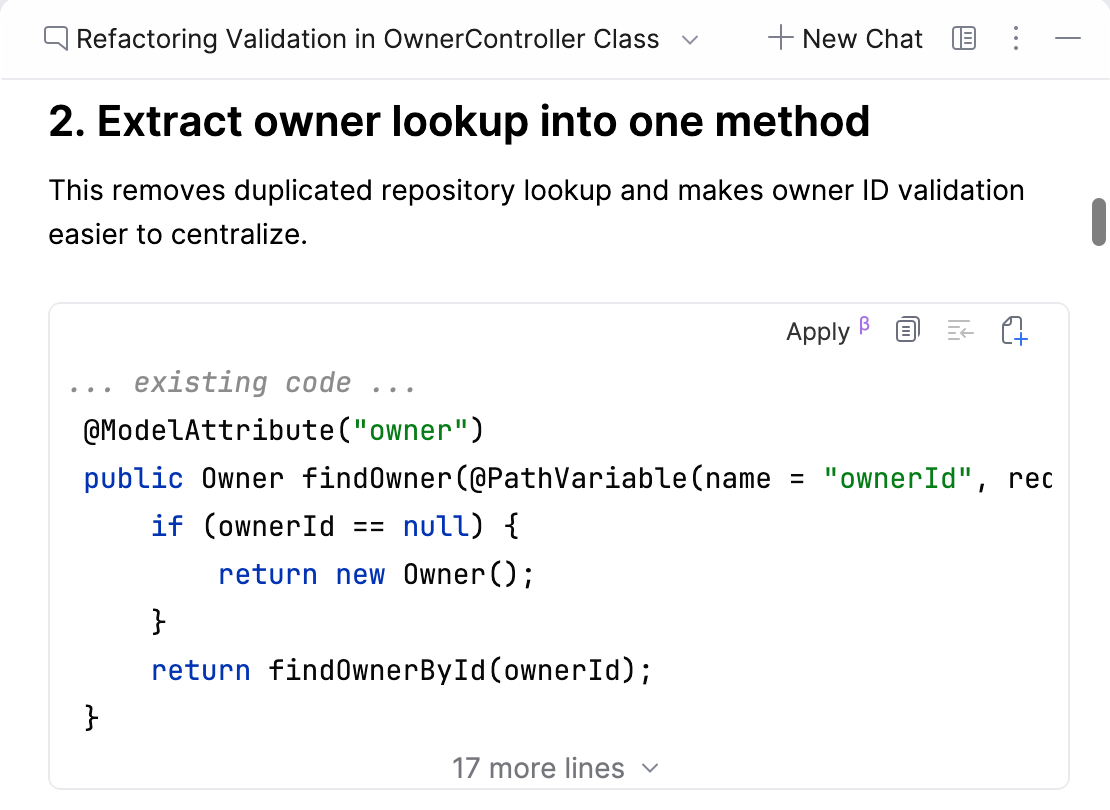
A refactoring suggestion in the chat. Screenshot from the JetBrains documentation (IntelliJ IDEA; PhpStorm has the same interface)
5. Answering questions
A built-in chat that remembers the file you're working on. For example:
"What does this code do?" "How can I reduce the algorithm's complexity here?" "Why is it better not to use isset here?"
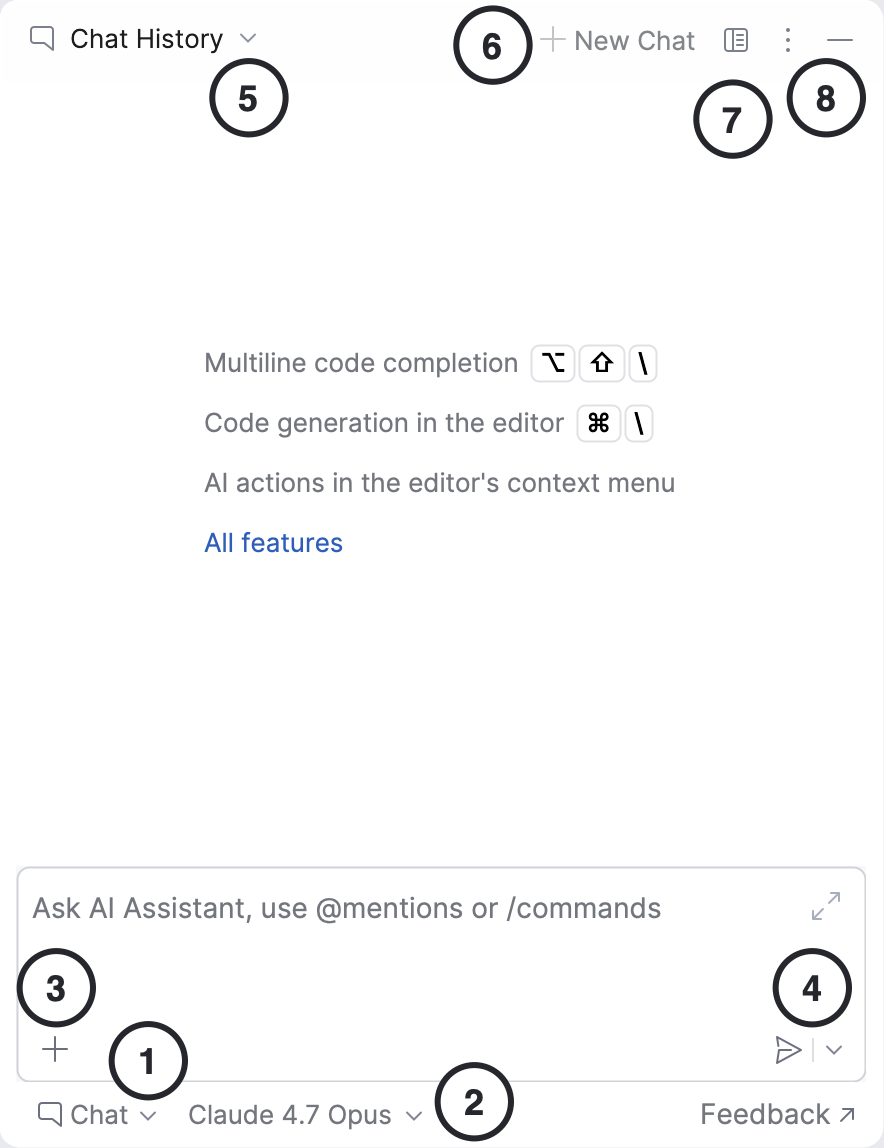
Elements of the AI Chat window. Screenshot from the JetBrains documentation
Usage example
class DiscountCalculator
{
    public function calculate(float $price, int $percentage): float
    {
        return $price * (1 - $percentage / 100);
    }
}
Select the method → Explain code with AI
"This method calculates a percentage discount and returns the new price. If you pass 100 UAH and 20%, the method returns 80."
or select the method → Alt+Enter → Generate Unit Tests
public function testCalculate(): void
{
    $calc = new DiscountCalculator();
    $this->assertSame(80.0, $calc->calculate(100.0, 20));
}
Why do you need it?
- Better understanding of code for those who don't read it well yet.
- Getting rid of routine work.
- Quick feedback right in the editor, with no switching to the browser when questions come up.
Conclusion
AI Assistant in PhpStorm is a genuinely convenient tool that saves me about an hour a day. It helps me work more confidently with legacy code, other people's repositories, or when you just want to give your head a little rest.
First published in Ukrainian in the Telegram channel “Created to die” on June 23, 2025.