A tool that explains Git instead of making you memorise commands
If you use Git at work but don't understand how it works, or that besides commit, pull and push there are plenty of other possibilities, I highly recommend trying this tool:
Learn Git Branching is an interactive git repository simulator right in your browser.
Not a tutorial! Not an article! Not a video!
It's a tool for hands-on learning.
You type git commands — and immediately see what happens to the commit history, HEAD, branches, merge and rebase.
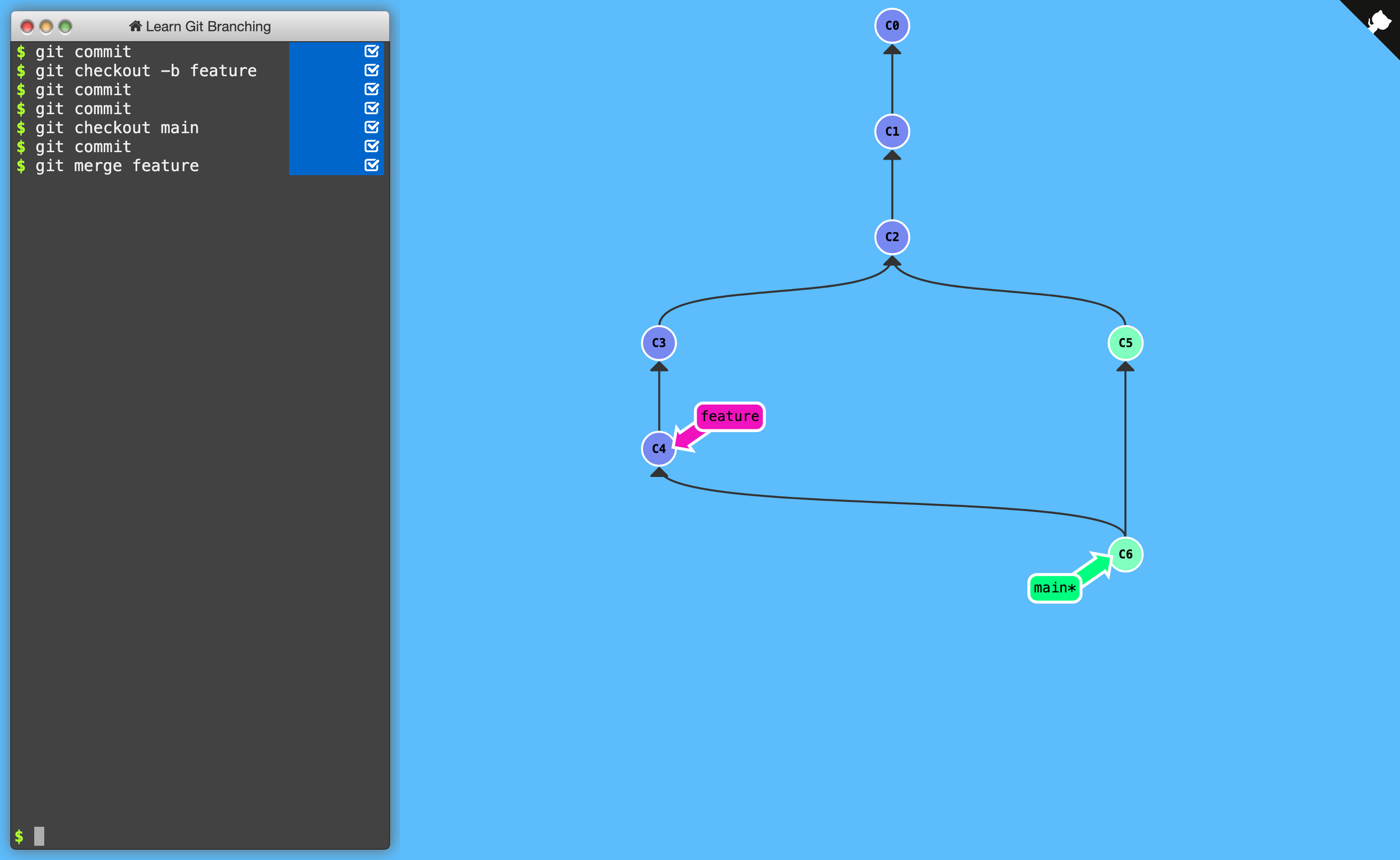
A few commands — and you can see the feature branch and the merge commit appear. Screenshot: learngitbranching.js.org
What's inside
- a native Ukrainian translation;
- a real-time
commit graphvisualisation; - game-like levels (from
basictoremote workflow); - you can break the repo without fear 🙂;
- a sandbox mode for explaining commands to your team or students.
In fact it's a git sandbox plus a trainer where the commit tree changes after every command, which greatly speeds up understanding of Git's branching model.
It's the fastest way to understand features like rebase, rather than just knowing such a command exists.
Especially useful for
- juniors;
- those who work through the IDE or GUI buttons;
- developers who are afraid of merge conflicts 😄;
- teachers (perfect for live demos).
15–20 minutes — and a lot of things in git will stop being magic.
First published in Ukrainian in the Telegram channel “Created to die” on February 26, 2026.